
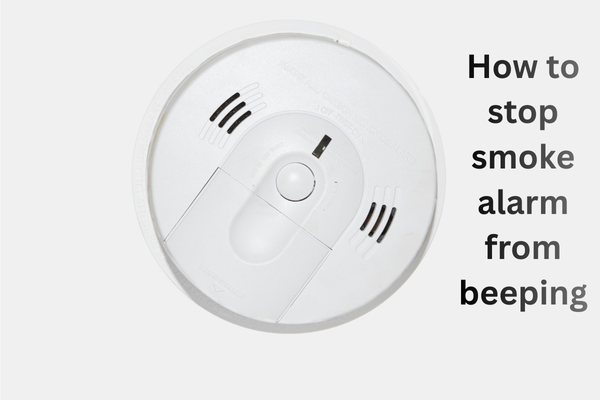
A loud beep every 30 seconds can drive anyone crazy, especially when it starts in the middle of the night. How to stop smoke alarm from beeping every 30 Seconds,
Table of Contents
It’s trying to tell you something important. The good news is that in most cases, it’s easy to fix, and you don’t need a technician or expensive tools. Whether your smoke alarm is brand new or several years old, this blog explains how to stop that smoke alarm from beeping every 30 seconds, from low battery and dust buildup to end-of-life signals. We’ll cover all the common causes and simple solutions.
Why Does a Smoke Alarm Beep Every 30 Seconds?
Before silencing the sound, it’s essential to understand what that persistent beep means. A smoke alarm that beeps every 30-60 seconds isn’t usually detecting smoke; it’s sending a signal. Common reasons include a low or dying battery, an improperly installed battery, dust or insects inside the sensor, a power issue with a hardwired alarm, or the alarm reaching the end of its lifespan. These continuous interval beeps are essentially your smoke alarm saying, “Listen, I need attention!”
Low Battery: The Most Common Cause (and the Easiest Fix)
In most homes, a low battery is the most common reason a smoke alarm beeps every 30 seconds. How to fix it: Remove the smoke alarm cover (twist and pull down). Remove the old battery. Insert a new, high-quality battery (usually 9V or AA). Check to make sure the battery is inserted correctly. Close the cover securely. Press and hold the test button for 10-15 seconds. If the beeping stops, you’re done! Pro tip: Even if the battery seems fine, replace it anyway. A weak battery can still power the alarm. Yes, it can, but it can also trigger a beep. According to the rules, the smoke alarm battery must be replaced once a year, and you can replace it even sooner if the alarm gives you a warning.
Battery Is New but the Alarm Still Beeps? Check Installation.
Sometimes the problem isn’t the battery itself but how it’s installed. Things to check: the battery isn’t fully seated, the battery compartment door isn’t properly closed, or a protective plastic tab is still in place (common in new alarms). How to fix it: Remove the battery, check the contacts for dust, dirt, or debris. The battery should be firmly reinserted until it clicks. Close the cover tightly until it’s completely sealed. Many alarms won’t reset; after reinstallation, press and hold the test button to reset the alarm’s internal memory.
Dust, Dirt, or Insects Inside the Smoke Alarm.
You might be surprised to learn that dust, dirt, and small insects are the most common causes of false beeping in smoke alarms, especially in homes in the United States, where dust levels may be low. Over time, particles can accumulate inside the sensor chamber and confuse the alarm, making it think there’s a problem. How to clean your smoke alarm: Turn off the power (for hardwired units) and remove the battery. Use a vacuum cleaner with a soft brush attachment. Gently vacuum around the vents and openings. If necessary, use compressed air to remove dust. Reinstall the battery and test the alarm. Cleaning your smoke alarm every six months can prevent false beeping and extend its lifespan.
Hardwired Smoke Alarm Beeping? Check Power Issues.
If your smoke alarm is directly connected to your home’s electrical system, power issues can be the cause. Potential problems include power outages and voltage fluctuations, or faulty wiring. If a circuit breaker has tripped and the backup battery is low, here’s what you should do: Check if there was a recent power outage, inspect your circuit breaker, replace the battery even if the alarm is hardwired, and press the test and reset buttons after power is restored. If multiple hardwired alarms are beeping simultaneously, the problem is often electrical and not related to smoke.
FAQs.
How do I stop my smoke alarm from beeping every 30 seconds?
How to stop smoke alarm from beeping every 30 seconds, first change the battery. If it still beeps, clean any dust or debris, reset the alarm, and check its lifespan. Older units often beep to indicate that it’s time for replacement.
How do I switch off the smoke alarm?
You can temporarily silence a smoke alarm by pressing the silence or test button. If it beeps unexpectedly, remove the battery, turn off the power at the breaker, correct the problem, and then restore power to ensure continued protection.
How do I temporarily disable my smoke alarm?
To temporarily disable a smoke alarm and stop the alert, press the hush or silence button. If necessary, remove the battery or turn off the circuit breaker for a short time. However, for safety, always correct the problem and reactivate the alarm as soon as possible.
Conclusion:
How to stop smoke alarm from beeping every 30 seconds is annoying, but it’s rarely a mystery. In most cases, the cause is something simple, such as a low battery, dust and dirt buildup, or an old unit. By following the steps in this blog, you can identify the correct cause, stop the beeping, and restore peace to your home. Remember that a smoke alarm is a safety device. Never ignore repeated beeping or permanently disable the alarm just to stop the noise. Address the problem correctly and replace the unit if necessary, ensuring your home remains safe at all times.